
Online facilitation tips for participation in longer meetings
I was a student in a multi-day online courses recently, and I noticed that I hadn’t said anything out loud in front of the full group by the end of Day 1. So it was much harder for me to speak up by Day 2. Wait, suddenly I was that student who hadn’t spoken up – and usually I’m the facilitator trying to invite more participation! Here’s 15 techniques to support learners and facilitators for longer, full day online meetings. (updated April 2025.)
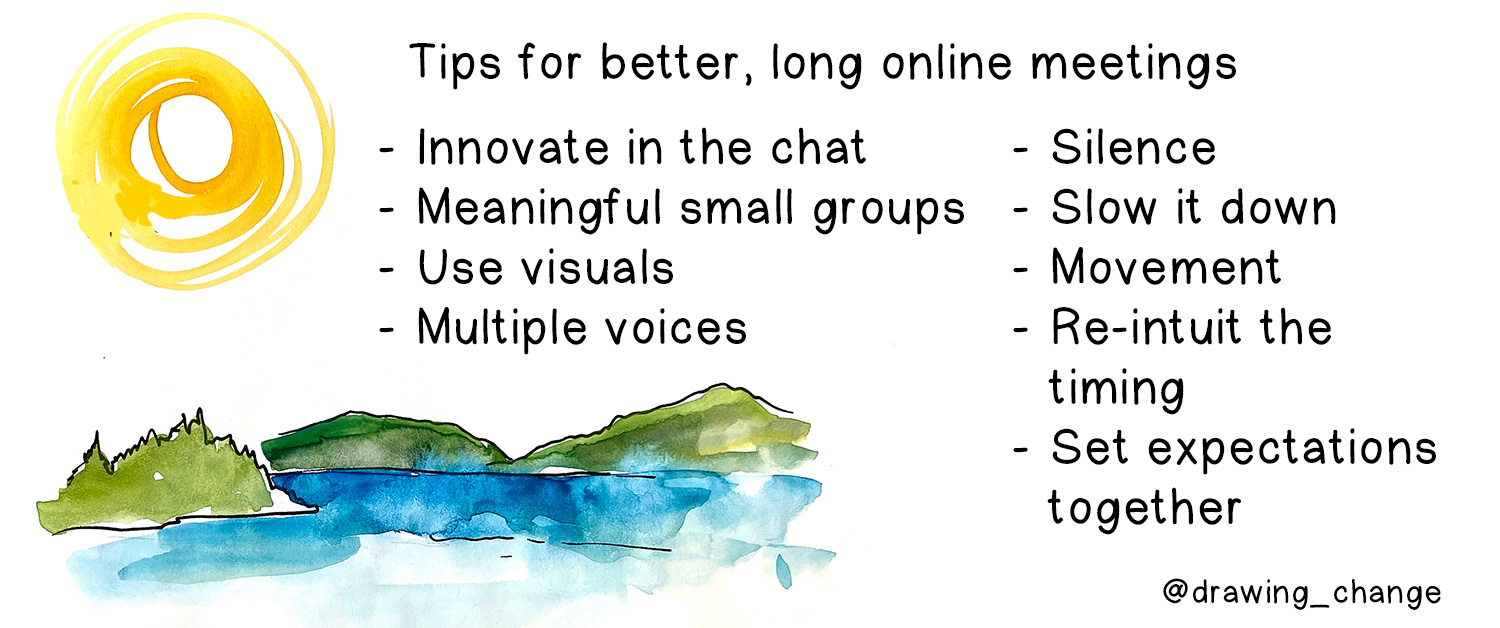
Online Facilitation Techniques for 5-150 people
I like to work with dialogic tools, which definitely means participation. These techniques can boost hearing from many voices, invite others to share with us, and stay present as much as possible. These examples use writing and speaking out loud – so if you’re not able to speak in the meeting, you can still participate using written tools. And you don’t need your camera on for these things – your voice is what matters. I’d say they are all applicable for hosting a strategic planning session, teaching a course, or checking in with your work team.

Use the Chat in Multiple Ways
- Warm up the chat before the meeting formally starts, if this is a more public-facing engagement/workshop. The facilitator could ask a lighthearted question of participants while people are arriving, and it introduces the chat as something that will be part of the meeting.
- Chat waterfall: Use the chat during the meeting to share a response to a question, all at once. Ask people to write their answer/insight, then have the participants all hit ‘send’ at once: this is called a chat “waterfall”. Then, bring voice to some of the comments. The facilitator or a participant can then read a few chat comments out loud. Also this is one way to acknowledge the Land and territory we are on.

Multiple voices online: read out loud
- Multiple voices for reading: If you’re hosting a training or teaching a course, you likely have powerpoint slides. I’m never a fan of only reading slides out loud to attendees, but sometimes content delivery is unavoidable. You can ask participants to take turns read them out loud – especially if there are long quotes. Try this for 1 – 2 slides each hour, max.
- Scripts: sometimes, training sessions have role plays or scenarios to work through. Scripts give participants low-risk ways of bringing more voices into the room without putting anyone on the spot.

Small Groups and Better Report-Backs
- Do paired work and group work. Get energized in a pair for a check in – it’s under-utilized in our online lives right now. Or, have a World Cafe discussion in a foursome (I was in one this week with 150 people) – it’s a tried and true dialogic method to encourage more voices.
- Use the time together for the most high-touch collaboration: send people info ahead of time, then gather to discuss it. Try sending a video presentation, instead of using the meeting time to present. This might be homework, or group work, before the session.
- Great online meetings also integrate asynchronous work, like a google doc or Mural for collaboration.
- Ensure the report back has impact: Don’t bore each other by reading the entire google doc out loud! Find 1 or 2 key insights that are a launching point for bigger dialogue. Structure the report back with a framework, prompt, and constraints. And invite people to share the leadership in who is chosen to report back. Organize who, how, and how much will be shared back – and give people a few minutes to gather their thoughts.

Visuals to Support Participation
- Use visuals to prompt taking turns. Set up a circle process by having a simple circle on a powerpoint slide, with people’s names around it. Use this to do a go-round, or circle process. Everyone can see whose turn is next. Useful for reducing anxiety around who hasn’t spoken yet, and whose turn is coming. Remind people that you can move Zoom squares to keep track of who hasn’t spoken yet, too.
- Graphic recording can visualize the conversation. The person creating the visuals (which could be anyone!) can also offer a reflection about creating the visuals, back to the group – and sometimes people will want to jump in with a reflection based on seeing a graphic recording visual, too.

Work with Silence
- Slow it down. Work with silence in multiple ways. Give people time to write ideas down for 2 minutes individually before launching into group work. Invite people into a short guided visualization or a few deep breaths. Or, let people read/review documents for five minutes before jumping into the discussion – I put on a fun animal wildlife camera this week and that combination helped people get grounded before we started.
- Let the group know you’ll wait the eternal 9 seconds before moving on from a question. You may be surprised (or surprise yourself!) as to who feels moved to speak up after stillness.
Call on People By Name
- Call on people directly is a maybe. I hate being surprised as a participant, so I avoid this generally. One thing I do like to do: “In a moment, I’m going to ask anyone who hasn’t had a chance to speak out loud if they would like to share.” And sometimes I’ll name off a few people who I haven’t heard from, which gives the room a heads-up and time to prepare without singling out any one person.

Work with Movement and Breaks
- Encourage breaks, at minimum every hour and 15 minutes online.
- Encourage movement. When we are grounded, we share differently. For example, lead a quick stretch break before groups share back – even just shoulder movement. Or build in a walk. Or have a dance break. We can use our bodies as ways to gather information and guidance, and this embodiment shifts who is moved (pun intended) to speak up.

Online Facilitation Timing
- Extend the time. A full day strategic planning session can’t be squished into 90 minutes. However long you think your dialogue might need – you may need double the time for a rich conversation. And remember that sometimes meetings are a bad replacement for meeting our social needs, which changes how our group work goes.
- Shorten the time. I’m also seeing lots of update-like meetings that should have been an email, too. Shorten these dramatically. There’s no point asking for “participation” from the room, if the information is only an update. Send a video instead.
Talk about Expectations and Agreements
With all things facilitation, we work with what emerges. And it goes without saying, we want to build in success for learners and facilitators.
Key take-away: every meeting is different, in different organizations. As a facilitator, cue people for how you would like to invite them to participate. Give people lots of options and choices.
As a participant, name what is best for your participation in the community agreements for the meeting. Let’s share what we need, so we don’t have to assume.
What else: it’s good to encourage co-facilitation wherever possible: it’s good for the group to have two people to learn with or build rapport with. We can model what it looks like to have more participation – by inviting more people to help host the conversations. And there’s peace of mind for the facilitation team to have a technical facilitator/ tech host / Zoom host too. If something goes awry (…tech gremlins!) you have help and support to adjust, and make the next facilitation move.
Want help facilitating your next strategic plan, visioning conversation, community dialogue or change initiative? We’d love to help. Get in touch at hello@drawingchange.com